Infinix
Aug 26, 2026
With operation log
Success
Verified E-GSM Tool Result
Factory Reset - META Transport
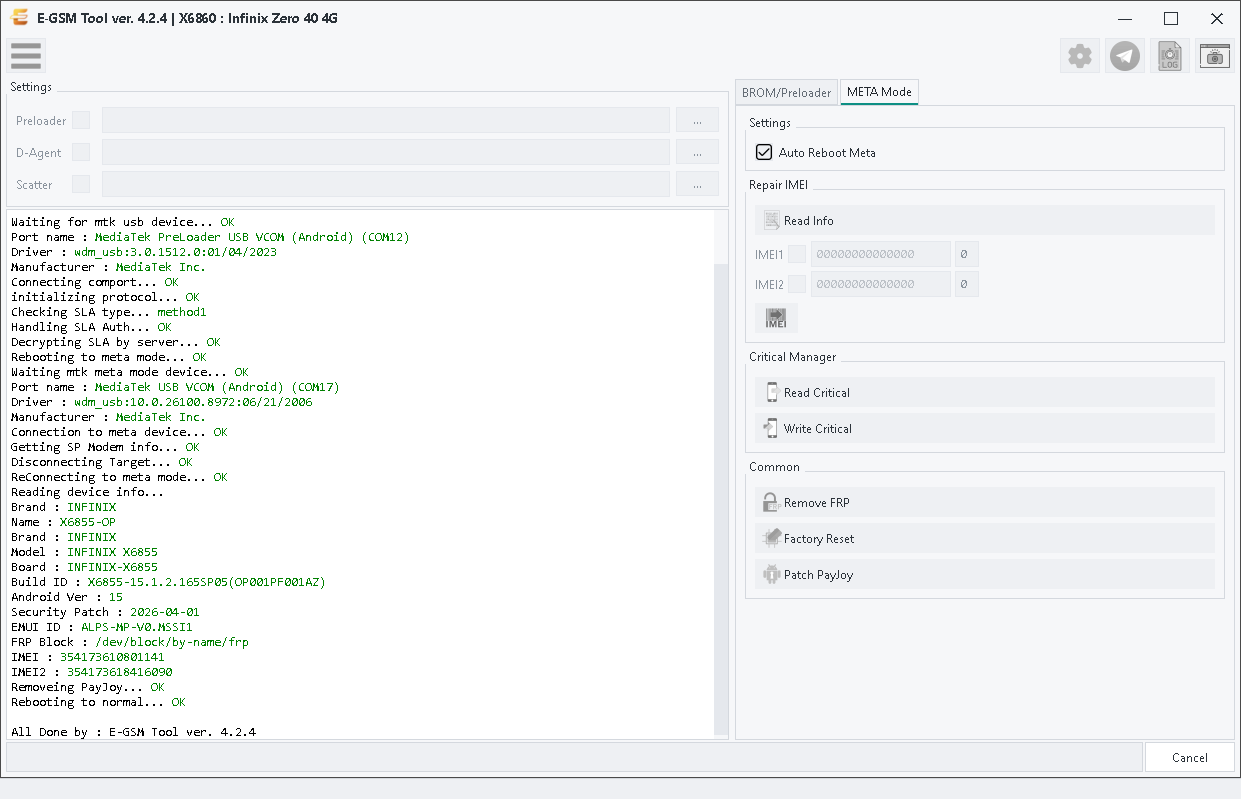
X6860 : Infinix Zero 40 4G
Real desktop tool capture for Infinix — zoom, download, or share this repair proof.
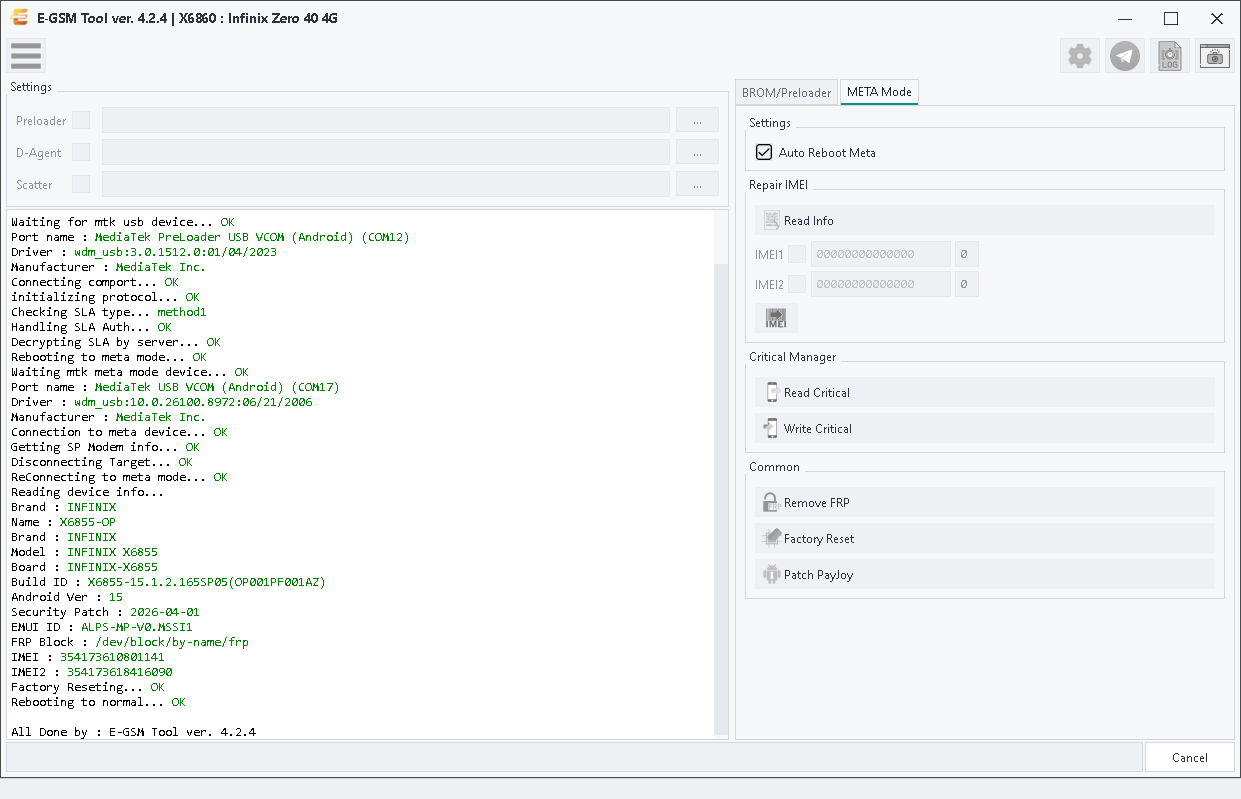
Operation Log
Console output captured within 5 seconds of this screenshot — same user, operation, brand and model.
p, li { white-space: pre-wrap; }
Operation : Factory Reset
Phone Mode : Meta Mode
Selected Model : X6860 : Infinix Zero 40 4G
Waiting for mtk usb device... OK
Port name : MediaTek PreLoader USB VCOM (Android) (COM12)
Driver : wdm_usb:3.0.1512.0:01/04/2023
Manufacturer : MediaTek Inc.
Connecting comport... OK
initializing protocol... OK
Checking SLA type... method1
Handling SLA Auth... OK
Decrypting SLA by server... OK
Rebooting to meta mode... OK
Waiting mtk meta mode device... OK
Port name : MediaTek USB VCOM (Android) (COM17)
Driver : wdm_usb:10.0.26100.8972:06/21/2006
Manufacturer : MediaTek Inc.
Connection to meta device... OK
Getting SP Modem info... OK
Disconnecting Target... OK
ReConnecting to meta mode... OK
Reading device info...
Brand : INFINIX
Name : X6855-OP
Brand : INFINIX
Model : INFINIX X6855
Board : INFINIX-X6855
Build ID : X6855-15.1.2.165SP05(OP001PF001AZ)
Android Ver : 15
Security Patch : 2026-04-01
EMUI ID : ALPS-MP-V0.MSSI1
FRP Block : /dev/block/by-name/frp
IMEI : 354173610801141
IMEI2 : 354173618416090
Factory Reseting... OK
Rebooting to normal... OK